
Free English NOMA 052-8814-2 (01) PDF document. Download the PDF, use the online viewer, or browse the FAQs for easy troubleshooting.
CLICK HERE TO DOWNLOAD NOMA 052-8814-2 (01) PDF DOCUMENT
If this is not the document you want for this product, click here to see if we have any other documents for this product.
How do I charge the battery for the NOMA 052-8814-2 timer?
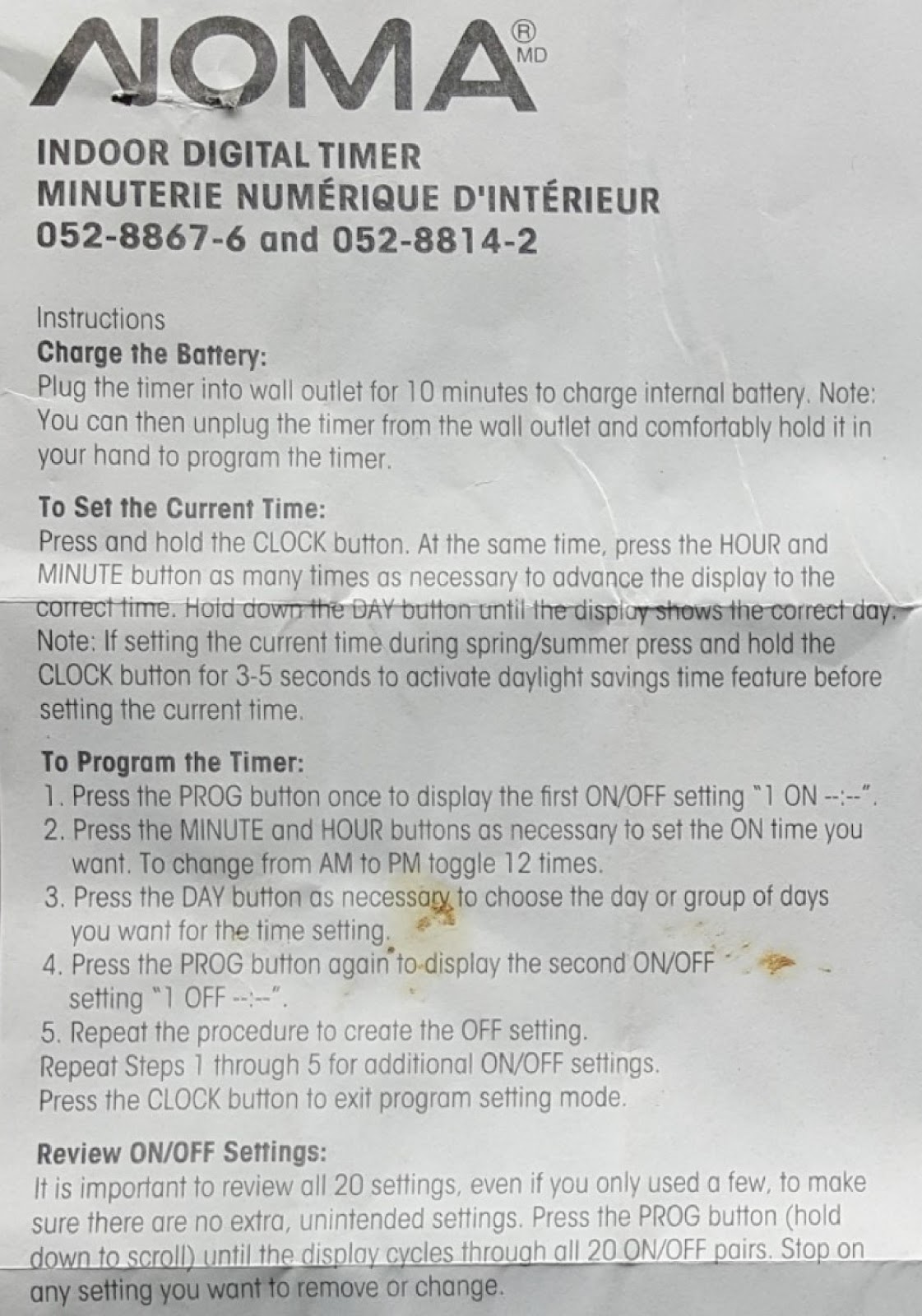
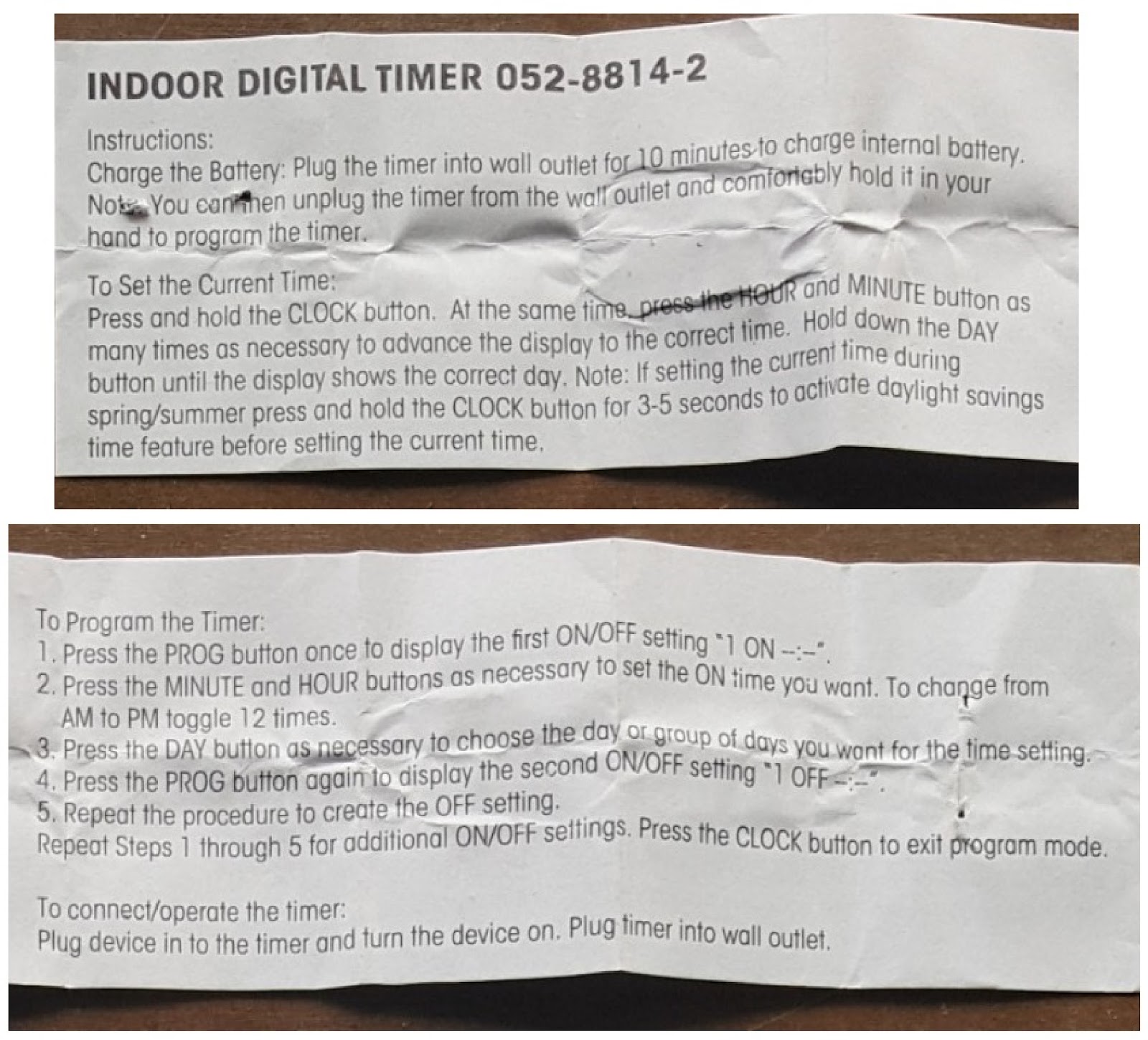
Plug the timer into a wall outlet for 10 minutes to charge the internal battery. Note: You can then unplug the timer from the wall outlet and comfortably hold it in your hand to program the timer.
How do I set the current time on my NOMA 052-8814-2 timer?
Press and hold the CLOCK button. At the same time, press the HOUR and MINUTE button as many times as necessary to advance the display to the correct time. Hold down the DAY button until the display shows the correct day.
Note: If setting the current time during spring/summer, press and hold the CLOCK button for 3-5 seconds to activate the daylight savings time feature before setting the current time.
How do I program the timer settings on the NOMA 052-8814-2?
1. Press the PROG button once to display the first ON/OFF setting “1 ON –:–“.
2. Press the MINUTE and HOUR buttons as necessary to set the ON time you want. To change from AM to PM, toggle 12 times.
3. Press the DAY button as necessary to choose the day or group of days you want for the time setting.
4. Press the PROG button again to display the second ON/OFF setting “1 OFF –:–“.
5. Repeat the procedure to create the OFF setting.
Repeat Steps 1 through 5 for additional ON/OFF settings. Press the CLOCK button to exit program setting mode.
How do I use the Random Setting Security Feature on the NOMA 052-8814-2?
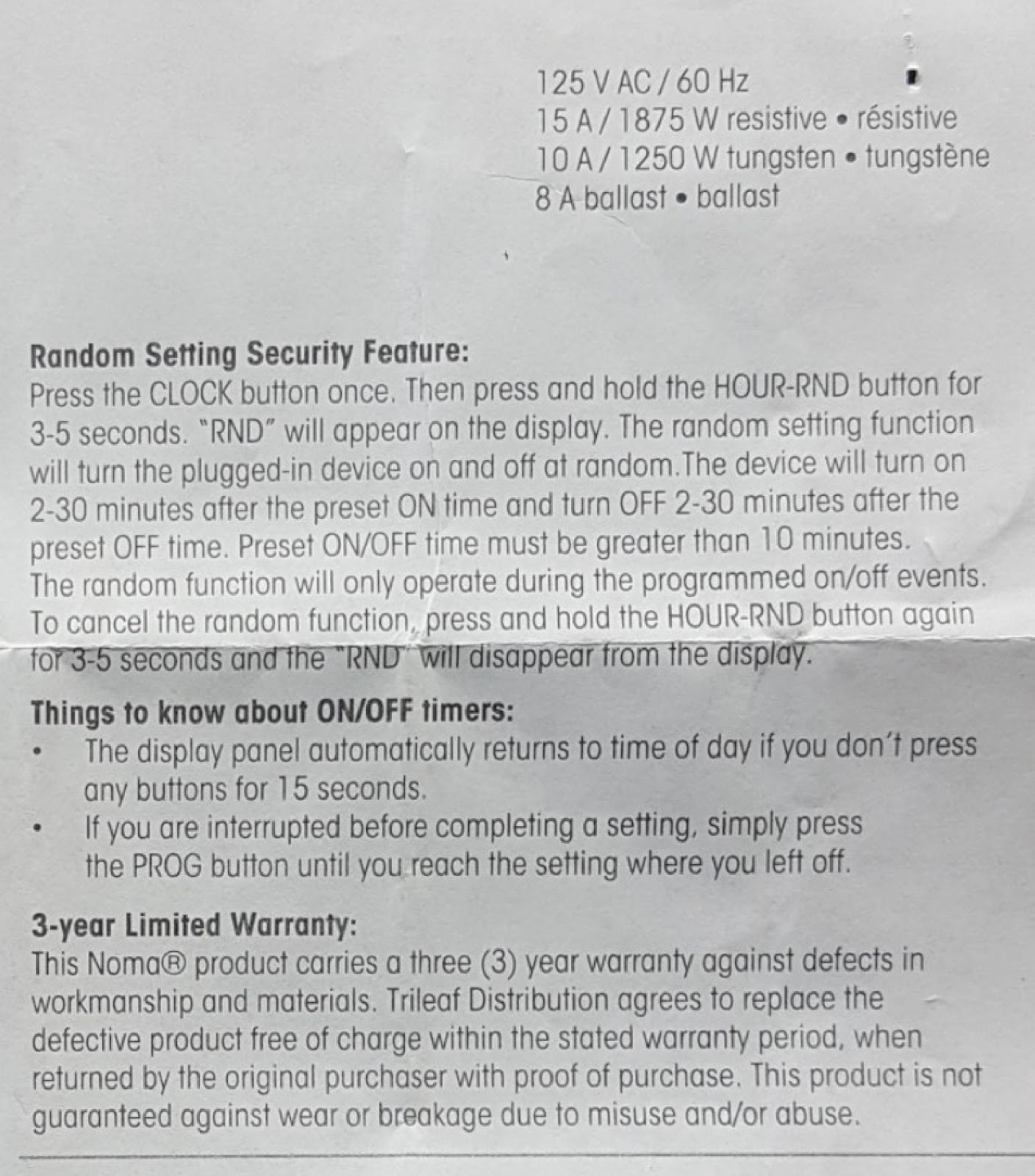
Press the CLOCK button once. Then press and hold the HOUR-RND button for 3-5 seconds. “RND” will appear on the display. The random setting function will turn the plugged-in device on and off at random. The device will turn on 2-30 minutes after the preset ON time and turn OFF 2-30 minutes after the preset OFF time. The preset ON/OFF time must be greater than 10 minutes. The random function will only operate during the programmed on/off events.
To cancel the random function, press and hold the HOUR-RND button again for 3-5 seconds and the “RND” will disappear from the display.
What are some important things to know about the ON/OFF timers on the NOMA 052-8814-2?
• The display panel automatically returns to the time of day if you don’t press any buttons for 15 seconds.
• If you are interrupted before completing a setting, simply press the PROG button until you reach the setting where you left off.
How do I review the ON/OFF settings on my NOMA 052-8814-2 timer?
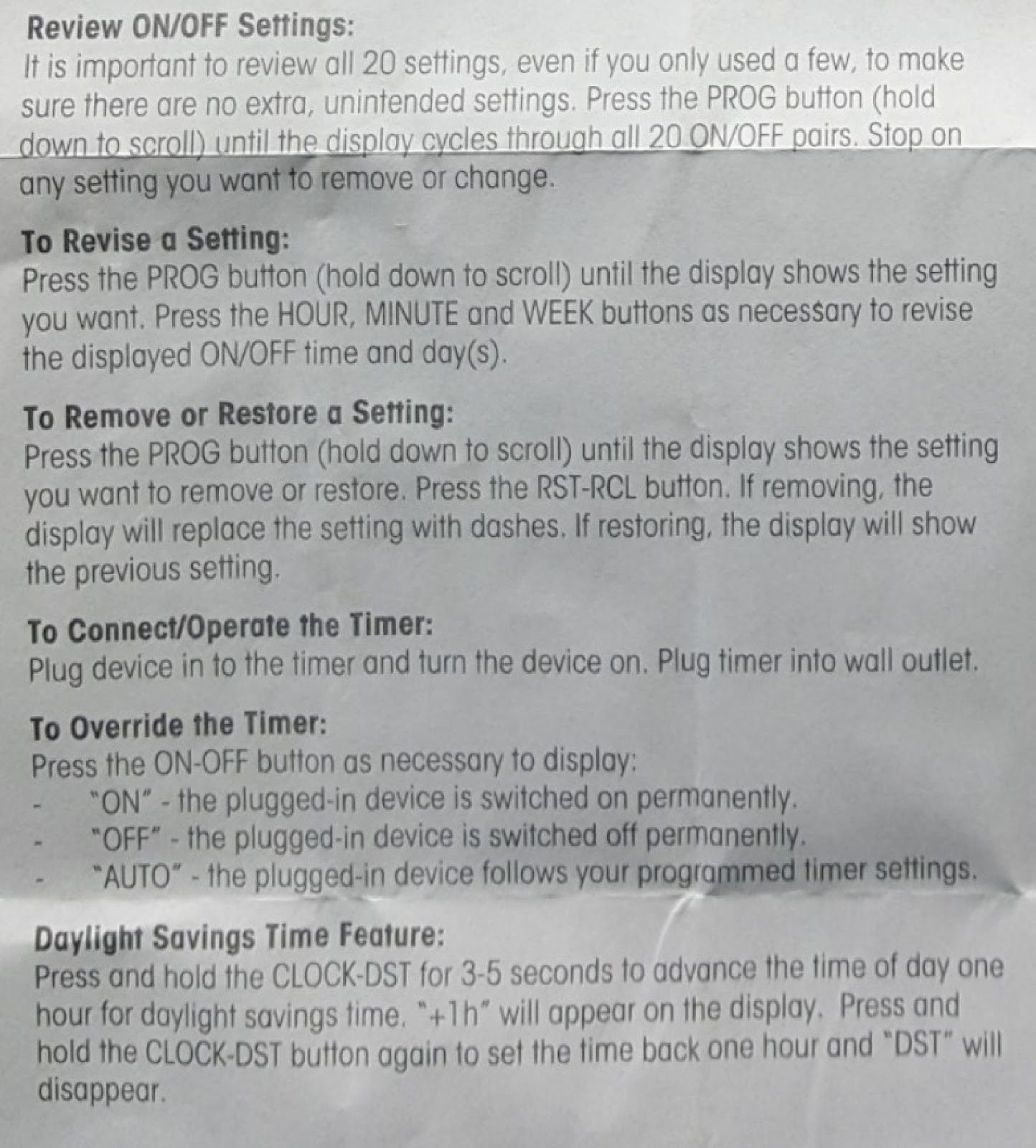
It is important to review all 20 settings, even if you only used a few, to make sure there are no extra, unintended settings. Press the PROG button (hold down to scroll) until the display cycles through all 20 ON/OFF pairs. Stop on any setting you want to remove or change.
How can I revise a programmed setting on the NOMA 052-8814-2?
Press the PROG button (hold down to scroll) until the display shows the setting you want. Press the HOUR, MINUTE and WEEK buttons as necessary to revise the displayed ON/OFF time and day(s).
How do I remove or restore a setting on the NOMA 052-8814-2 timer?
Press the PROG button (hold down to scroll) until the display shows the setting you want to remove or restore. Press the RST-RCL button. If removing, the display will replace the setting with dashes. If restoring, the display will show the previous setting.
How do I connect and operate the NOMA 052-8814-2 timer?
Plug the device into the timer and turn the device on. Plug the timer into a wall outlet.
How can I override the programmed timer settings on the NOMA 052-8814-2?
Press the ON-OFF button as necessary to display:
“ON” – the plugged-in device is switched on permanently.
“OFF” – the plugged-in device is switched off permanently.
“AUTO” – the plugged-in device follows your programmed timer settings.
How do I use the Daylight Savings Time feature on the NOMA 052-8814-2?
Press and hold the CLOCK-DST button for 3-5 seconds to advance the time of day one hour for daylight savings time. “+1h” will appear on the display. Press and hold the CLOCK-DST button again to set the time back one hour and “DST” will disappear.
What are the electrical specifications for the NOMA 052-8814-2 timer?
125 V AC / 60 Hz
15 A / 1875 W resistive
10 A / 1250 W tungsten
8 A ballast
How to use the PDF below:
* Touchscreen: Swipe up/down with-in the PDF to scroll and pinch or spread with two fingers to zoom.
* Mouse: While your mouse is hovering over the PDF, use the mouse wheel to scroll and click on the – / + buttons at the bottom of the PDF to zoom.
CLICK HERE TO DOWNLOAD NOMA 052-8814-2 (01) PDF DOCUMENT
I bought this today. Opened the package and plugged it in to an outlet by my desk so that I can set up the programming that I want before taking it to the location to set up. I pressed the power button and it does not come on. Does the device have to be plugged in for an extended period before setting it up? If so how long?
This web page is as useless as the timer, same problem as stated above. Who ever wrote the instruction at top of the page is a worst type than I am!!
this is thew worst timer i have ever bought, being digital you would assume that it would come wit instructions, but NO, i have to go online search for the correct instructions, and I find crap, this is the last item I buy, and I will voice my opinion .
I echo above comments, a simple picture that identifies the buttons by name as opposed to symbols, yep definitely made in China,,, symbolic replaces learning our language, ya I know, we don’t learn their languages either ☹️
Noma digital timer– the worst timer i have ever bought.Worst instruction ever.